
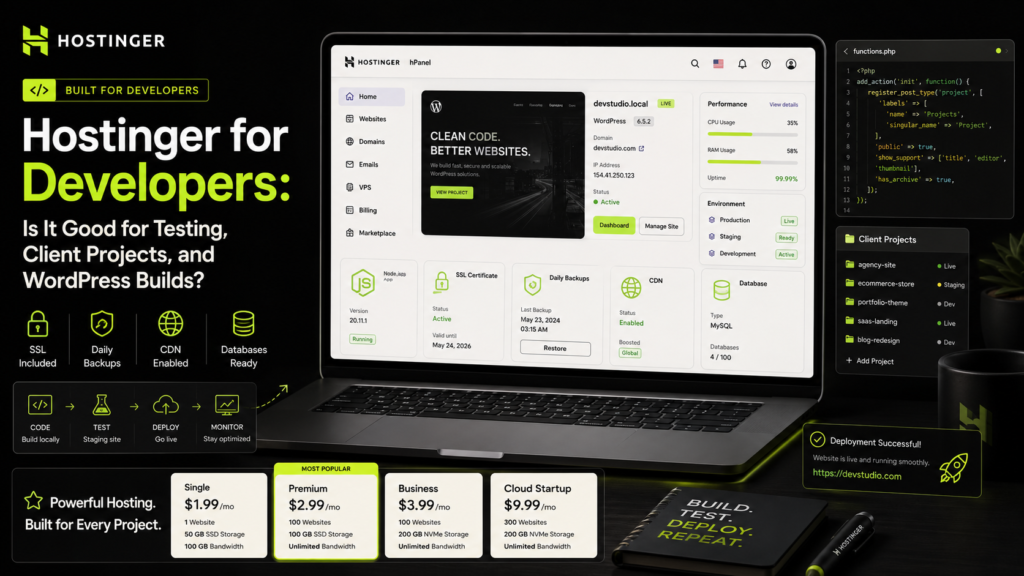
Hostinger for Developers is worth comparing in 2026 because development work is not only about writing code.
Developers also need a reliable place to test websites, show client previews, launch WordPress builds, manage SSL, handle backups, and move projects live without unnecessary friction.
Affordable Hostinger web hosting matters because not every developer project needs expensive cloud infrastructure from day one.
A portfolio, landing page, WordPress build, small business site, client demo, or early MVP often needs simple hosting, clear limits, easy setup, and a smooth upgrade path.
Hostinger gives developers several options, including Single, Premium, Business, Cloud Startup, and VPS. The right choice depends on whether you need simple website hosting, managed WordPress, Node.js support, client hosting, or deeper server control.
In this guide, we will explain where Hostinger works well for developers, where it has limits, which plan to choose, and when to upgrade.
To check the latest live offer, check Hostinger pricing.
Hostinger for Developers: Quick Verdict
Hostinger for Developers is a practical choice for WordPress builds, client websites, portfolios, test sites, landing pages, and small business projects.
Single Web Hosting is enough for one simple test website or personal project.
Premium Web Hosting is better for a developer portfolio, blog, and a few lightweight websites.
Business Web Hosting is the best value for WordPress developers and freelancers who manage client sites, demos, SEO pages, and small business builds.
Cloud Startup is better when you need stronger resources, dedicated IP, priority support, managed Node.js apps, and better traffic handling.
VPS is better when you need full server control, custom runtime setup, Docker-style workflows, advanced backend deployment, or root access.
- Single: best for one simple test or personal site.
- Premium: best for portfolio, blog, and small projects.
- Business: best for WordPress builds and client websites.
- Cloud Startup: best for heavier client projects and managed Node.js apps.
- VPS: best for developers who need full server control.
If you want affordable hosting for client-ready websites, explore Hostinger deals.
What Developers Can Use Hostinger For
Hostinger is not only for beginners.
It can also help developers who need fast setup, clean hosting management, and a simple way to launch websites without configuring everything manually.
Common Developer Use Cases
- Personal developer portfolio
- WordPress client websites
- Landing pages and brochure sites
- Small business websites
- Client demo environments
- SEO blogs and content websites
- Static HTML/CSS/JS projects
- Small WooCommerce projects
- Managed Node.js web apps on supported plans
For many developers, the biggest benefit is speed. You can move from idea to hosted website faster than setting up a full server manually.
To compare developer-friendly plans, compare Hostinger hosting plans.
Hostinger Plans for Developers Compared
Developers should choose hosting based on project type, not only the lowest monthly price.
A simple HTML portfolio needs fewer resources than a client WordPress site, WooCommerce build, or Node.js web app.
| Plan | Best Developer Use | Key Specs | Buying Advice |
|---|---|---|---|
| Single Web Hosting | One test site, simple portfolio, static project | 1 website, 1 CPU core, 1 GB RAM, 10 GB storage, 200,000 inodes | Use only for basic projects |
| Premium Web Hosting | Portfolio, blog, small WordPress builds | 3 websites, 1 CPU core, 2 GB RAM, 20 GB storage, 400,000 inodes | Good low-cost developer start |
| Business Web Hosting | Client sites, WordPress builds, small business websites | 50 websites, 2 CPU cores, 3 GB RAM, 50 GB storage, 600,000 inodes | Best value for most WordPress developers |
| Cloud Startup | Heavier sites, managed Node.js apps, traffic growth | 4 CPU cores, 4 GB RAM, 100 GB NVMe storage, 2,000,000 inodes, dedicated IP | Upgrade when projects become heavier |
For most developers building WordPress websites for clients, Business is the most practical web hosting plan. It gives more websites, more resources, CDN, and stronger backup value than Premium.
To review current plans, view current Hostinger discount.
Is Hostinger Good for Testing Websites?
Yes, Hostinger can work well for simple testing and preview environments.
You can use it to test WordPress themes, landing pages, plugin setups, static websites, client demos, and small web projects.
However, it is not a full replacement for a developer workstation, CI/CD pipeline, Docker setup, or advanced staging infrastructure.
Hostinger Works Well for Testing:
- WordPress layouts
- Theme demos
- Client previews
- Landing pages
- Portfolio versions
- Basic PHP sites
- Static frontend builds
- Small content websites
Hostinger May Not Be Enough for Testing:
- Complex microservices
- Docker-based backend systems
- Custom server-level packages
- Advanced CI/CD workflows
- High-load backend applications
- Projects requiring root server control
For basic testing and client previews, web hosting is enough. For deeper backend work, VPS is usually the better choice.
Is Hostinger Good for Client Projects?
Yes, Hostinger is a good option for many client projects, especially WordPress, service websites, portfolios, blogs, and small business sites.
The key is choosing the right plan for the client’s real needs.
A plumber’s website, dentist site, small agency page, consultant portfolio, restaurant menu site, or local business blog does not always need complex infrastructure.
It needs reliable hosting, SSL, backups, email, speed, and simple management.
Good Client Project Fits
- Small business websites
- Service provider websites
- WordPress blogs
- Portfolio websites
- SEO landing pages
- Brochure websites
- Small WooCommerce stores
- Local business websites
Business is usually the best value for client websites because it gives daily backups, CDN, more storage, and more website capacity.
For client-ready hosting, check Hostinger Web Hosting options.
Is Hostinger Good for WordPress Builds?
Yes, Hostinger is a strong fit for WordPress builds.
It works well for blogs, business websites, portfolio sites, landing pages, agency websites, and starter WooCommerce stores.
WordPress developers should think about backups, CDN, storage, PHP resources, plugin load, image size, and upgrade path before choosing a plan.
Why WordPress Developers May Like Hostinger
- Managed hosting for WordPress
- Free SSL on hosting plans
- Free migration options
- Beginner-friendly hPanel
- Backups included
- CDN on stronger plans
- Email mailboxes on eligible plans
- Clear upgrade path to Cloud or VPS
Premium is fine for a simple WordPress project. Business is better for active WordPress sites. Cloud Startup is better for heavier builds, stores, and traffic-sensitive projects.
For a serious WordPress workflow, compare Hostinger Business plan.
Developer Features Worth Checking
Developers should check technical details before buying hosting.
Do not assume every plan supports every runtime, feature, or workflow.
Resource Limits
CPU, RAM, storage, databases, inodes, I/O, and PHP workers matter when websites become heavier.
If a project uses many plugins, images, cron jobs, or dynamic requests, a small plan can hit limits faster.
Node.js Support
Business and Cloud options are more relevant if you want managed Node.js web apps.
For serious backend development, VPS may still be more suitable because it gives more control.
Backups
Backups are critical for client work.
Premium has weekly backups, while Business gives stronger backup value. Before changing a theme, plugin, database, or WooCommerce setup, always create a restore point when available.
CDN
CDN is useful for websites with images, assets, and visitors from different locations.
Business and Cloud plans are stronger choices if speed and delivery matter.
Dedicated IP and Priority Support
Dedicated IP and priority expert support are mainly Cloud features.
If a client site is business-critical, Cloud may be worth comparing before launch.
For stronger development projects, compare hosting plans.
When Developers Should Choose Each Hostinger Plan
Choose Single for One Simple Test Site
Single is best when you need one basic website.
Use it for a personal test, small static project, or first hosting experiment.
Choose Single If:
- You only need one website.
- You are testing hosting basics.
- Your project has low traffic.
- You do not need multiple client demos.
Choose Premium for Portfolio and Small Builds
Premium is better for developers who want a portfolio, technical blog, and a few lightweight websites.
It can include a free domain on eligible annual terms and gives more room than Single.
Choose Premium If:
- You want a developer portfolio.
- You need up to 3 websites.
- You publish a blog or case studies.
- You build small WordPress projects.
For a low-cost developer start, start with Hostinger Premium.
Choose Business for Client WordPress Work
Business is the best plan for most developers working on client websites.
It supports up to 50 websites, includes more resources, provides CDN, and gives stronger backup coverage than Premium.
Choose Business If:
- You build WordPress websites for clients.
- You manage multiple projects.
- You need daily backups.
- You want CDN included.
- You build business sites or SEO content sites.
- You want more room before upgrading.
For most client builds, check Hostinger Business Hosting.
Choose Cloud Startup for Heavier Projects
Cloud Startup is better for developers who need stronger resources without managing a VPS.
It is useful for heavier WordPress projects, WooCommerce builds, managed Node.js web apps, higher traffic sites, and client projects where performance matters.
Choose Cloud Startup If:
- You need more CPU and RAM.
- You want dedicated IP.
- You need priority expert support.
- You manage heavier WordPress builds.
- You work on WooCommerce or business-critical projects.
Hostinger vs Alternatives for Developers
Hostinger is not the only option for developers.
Bluehost, SiteGround, Namecheap, GoDaddy, Cloudways, and VPS providers can also work depending on your workflow.
| Provider | Best For Developers | Main Strength | Possible Limitation |
|---|---|---|---|
| Hostinger | WordPress builds, client sites, portfolios, small projects | Affordable pricing, hPanel, SSL, backups, CDN on Business, Cloud/VPS upgrade path | Shared plans are not ideal for advanced backend control |
| Cloudways | Managed cloud projects and agencies | Managed cloud provider choice and scalability | Can cost more as resources grow |
| SiteGround | Higher-budget WordPress client sites | Managed tools and strong support reputation | Usually more expensive after renewal |
| DigitalOcean VPS | Backend apps, custom stacks, technical teams | More server control and custom setup | Requires server administration skills |
Hostinger is strongest when developers want affordable web hosting, simple project delivery, WordPress tools, backups, SSL, and a clear upgrade path to Cloud or VPS.
To compare current offers, view current Hostinger deal.
Practical Tips for Developers Using Hostinger
Hosting quality matters, but developer workflow matters too.
Use a clean process so client projects stay organized and easy to maintain.
Developer Checklist
- Use separate WordPress admin accounts for clients.
- Keep project credentials organized safely.
- Back up before theme, plugin, or database changes.
- Use SSL on every website.
- Compress images before uploading.
- Test contact forms after launch.
- Keep plugins limited and updated.
- Document DNS and email records.
- Use Business or Cloud for serious client projects.
- Use VPS when you need deeper server control.
Pros and Cons of Hostinger for Developers
Pros
- Affordable web hosting for testing and client websites
- Beginner-friendly hPanel dashboard
- Good fit for WordPress development
- Free SSL included
- Free domain available on eligible Premium and Business plans
- Email mailboxes available for professional projects
- Weekly backups on Premium
- Daily and on-demand backups on Business
- CDN included on Business and Cloud plans
- Cloud and VPS upgrade paths for heavier projects
Cons
- Single is too limited for multiple client projects.
- Premium may be limited for active client work.
- Shared hosting is not ideal for complex backend apps.
- Dedicated IP is mainly included with Cloud plans.
- Priority expert support is mainly tied to Cloud plans.
- Advanced developers may prefer VPS for root-level control.
- Renewal pricing can be higher after the first term.
Before choosing your plan, check Hostinger Business Hosting.
Final Recommendation: Is Hostinger Good for Developers?
Yes, Hostinger is good for developers who build WordPress websites, client sites, portfolios, landing pages, blogs, and small business projects.
Single is fine for one basic test site.
Premium is better for a developer portfolio and a few small projects.
Business is the best value for most WordPress developers and freelancers because it includes stronger resources, more websites, CDN, and better backup coverage.
Cloud Startup is better for heavier client work, WooCommerce, managed Node.js apps, dedicated IP, and priority support.
VPS is the better choice when you need root access, custom server packages, advanced deployment pipelines, or full backend control.
If your work is mostly WordPress, client websites, and business pages, Hostinger Business is the plan I would compare first.
Ready to host your next developer project? start your developer website with Hostinger today.
FAQs About Hostinger for Developers
Is Hostinger good for developers?
Yes. Hostinger is good for developers who build WordPress websites, portfolios, landing pages, client websites, blogs, and small business projects.
Is Hostinger good for testing websites?
Yes. Hostinger is useful for testing WordPress layouts, client previews, static sites, simple PHP projects, landing pages, and small website demos.
Which Hostinger plan is best for developers?
Business Web Hosting is usually the best value for WordPress developers and freelancers because it supports more websites, CDN, daily backups, and stronger resources than Premium.
Is Premium enough for developer portfolios?
Yes. Premium can be enough for a developer portfolio, blog, and a few lightweight websites. Business is better for client projects.
Can developers host client websites on Hostinger?
Yes. Developers can host client websites on Hostinger, especially WordPress, portfolio, service, blog, and small business websites.
Does Hostinger support WordPress development?
Yes. Hostinger supports WordPress hosting and works well for themes, plugins, content sites, business websites, portfolios, and WooCommerce starter projects.
Does Hostinger support Node.js?
Hostinger includes managed Node.js web apps on supported plans such as Business and Cloud. Check the latest plan details before buying.
Should developers choose web hosting, Cloud, or VPS?
Choose web hosting for WordPress and client websites. Choose Cloud for heavier managed projects. Choose VPS if you need root access, custom server setup, or advanced backend control.
Does Hostinger include free SSL?
Yes. Hostinger Web Hosting plans include SSL, which helps websites load securely with HTTPS.
Does Hostinger include CDN?
CDN is generally included on stronger plans such as Business and Cloud. Lower plans may not include CDN, so check the latest plan page before buying.
Does Hostinger include dedicated IP?
Dedicated IP is mainly included with Cloud hosting plans, not standard Single, Premium, or Business Web Hosting.
When should developers upgrade to Cloud or VPS?
Upgrade to Cloud when client sites need more resources, dedicated IP, or priority support. Choose VPS when you need full server control, custom packages, or advanced backend deployment.